Privia PX-310 Channel Disable/Enable
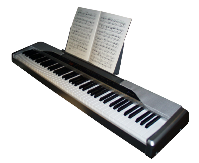 I've owned a Privia PX-310 digital piano for some time now, and in general
am very pleased with it. However, one thing stymied me for a long time
— the PX-310 has a 'MIDI THRU' connector, but it was
useless because I could find no way of turning off channels in the Privia
that I wanted only to be recognized by the downstream synth! I acquired
the MIDI implementation spec for the piano, and it describes a System
Exclusive message for turning a channel off or on, but no way could I
get the piano to notice it! I let the problem slide for a long time, but now
I've made a more concentrated effort, and have managed to track down the
errors in the manual that were blocking success.
I've owned a Privia PX-310 digital piano for some time now, and in general
am very pleased with it. However, one thing stymied me for a long time
— the PX-310 has a 'MIDI THRU' connector, but it was
useless because I could find no way of turning off channels in the Privia
that I wanted only to be recognized by the downstream synth! I acquired
the MIDI implementation spec for the piano, and it describes a System
Exclusive message for turning a channel off or on, but no way could I
get the piano to notice it! I let the problem slide for a long time, but now
I've made a more concentrated effort, and have managed to track down the
errors in the manual that were blocking success.So now I have my system with MIDI THRU from the piano to my other synth, and each responds to its own channels, just as I've always wanted it. I thought others might want the facility too, so I'm making available for download (below) a package of two short Midifiles with System Exclusive Messages for disabling and enabling the upper channels of a Privia PX-310. The rest of this page is essentially the README from the package (which has CR/LF line endings, so Windows users can read it... apologies for the ugliness that may cause others (:-)).
Channels 4 through 16 can be switched on or off by sending the appropriate file. Channels 1, 2, and 3 are left untouched, as these are used for normal keyboard, 2nd layer, and split keyboard respectively. (It's also likely that you'll need to turn these channels off on your synth downstream of the THRU connection, if you want to send to them from your computer. For this, you'll have to find out what your synth expects and create suitable SysExs yourself.)
[Just in case it's not obvious, these files are meant to be transmitted as needed from a sequencer or other midi-player to your Privia, not downloaded to its song memory!]
If you want to do any other channel switching than these files provide, you will need some SysEx editor to generate your own messages. Note that these files use the default "Device ID" of 10hex. This will be a constant in any normal case -- it can only be changed by another special SysEx message, so you'll know what you're doing anyway! For reference, here is a deconstruction of the message that turns off Channel/Part 4:
f0 44 11 03 10 00 01 52 00 00 00 03 00 f7
^ SysEx start                          ^ SysEx complete
   ^ "Casio" mfr ID
      ^  ^ Model ID ("11 03"... NOT "11 02" as the book says!)
            ^ (default) device ID -- this can be changed with other SysEx codes
               ^ Action type = "IPC" ("Individual Parameter Change")
                  ^ Category = "Command"
                     ^ Parameter ID = "Part Enable/Disable"
                        ^ index/data size = 1 byte/1 byte
                           ^   ^ Parameter Set Number -- unused
                                 ^ Index = Part/Channel - 1 (i.e. 00..0f for 1..16)
                                    ^ Data "00" = "Disable" ("01" for "Enable")
As noted above, the "PX-310 MIDI Implementation" reference (available from
Casio as a PDF) is wrong in a number of places -- badly enough to initially
destroy all my initial attempts to create a message that worked! The clue
that finally set me on the right track was finding that using "Function|Local
Control Off", or in fact any of the function keys at the top end of the keyboard,
sends the appropriate Casio-format SysEx to its MIDI OUT, so I was able to
examine that and figure out where the manual was off (mainly the "Model ID").Here is the complete set of messages in PX310_Disable_4-16.mid:
f0 44 11 03 10 00 01 52 00 00 00 03 00 f7
f0 44 11 03 10 00 01 52 00 00 00 04 00 f7
f0 44 11 03 10 00 01 52 00 00 00 05 00 f7
f0 44 11 03 10 00 01 52 00 00 00 06 00 f7
f0 44 11 03 10 00 01 52 00 00 00 07 00 f7
f0 44 11 03 10 00 01 52 00 00 00 08 00 f7
f0 44 11 03 10 00 01 52 00 00 00 09 00 f7
f0 44 11 03 10 00 01 52 00 00 00 0a 00 f7
f0 44 11 03 10 00 01 52 00 00 00 0b 00 f7
f0 44 11 03 10 00 01 52 00 00 00 0c 00 f7
f0 44 11 03 10 00 01 52 00 00 00 0d 00 f7
f0 44 11 03 10 00 01 52 00 00 00 0e 00 f7
f0 44 11 03 10 00 01 52 00 00 00 0f 00 f7
The messages in PX310_Enable_4-16.mid are identical except that the '00' at the end becomes '01':
f0 44 11 03 10 00 01 52 00 00 00 03 01 f7... etc.
If you have any questions or comments, you can send me note here[originally posted 2007 Feb 17],
and I'll be glad to help if I can.